

Google Ads Disapproved? Here’s Why It Happens and How to Fix It

Your campaign is ready. Your budget is set. Your creatives look great. And then you see it – “Disapproved.”
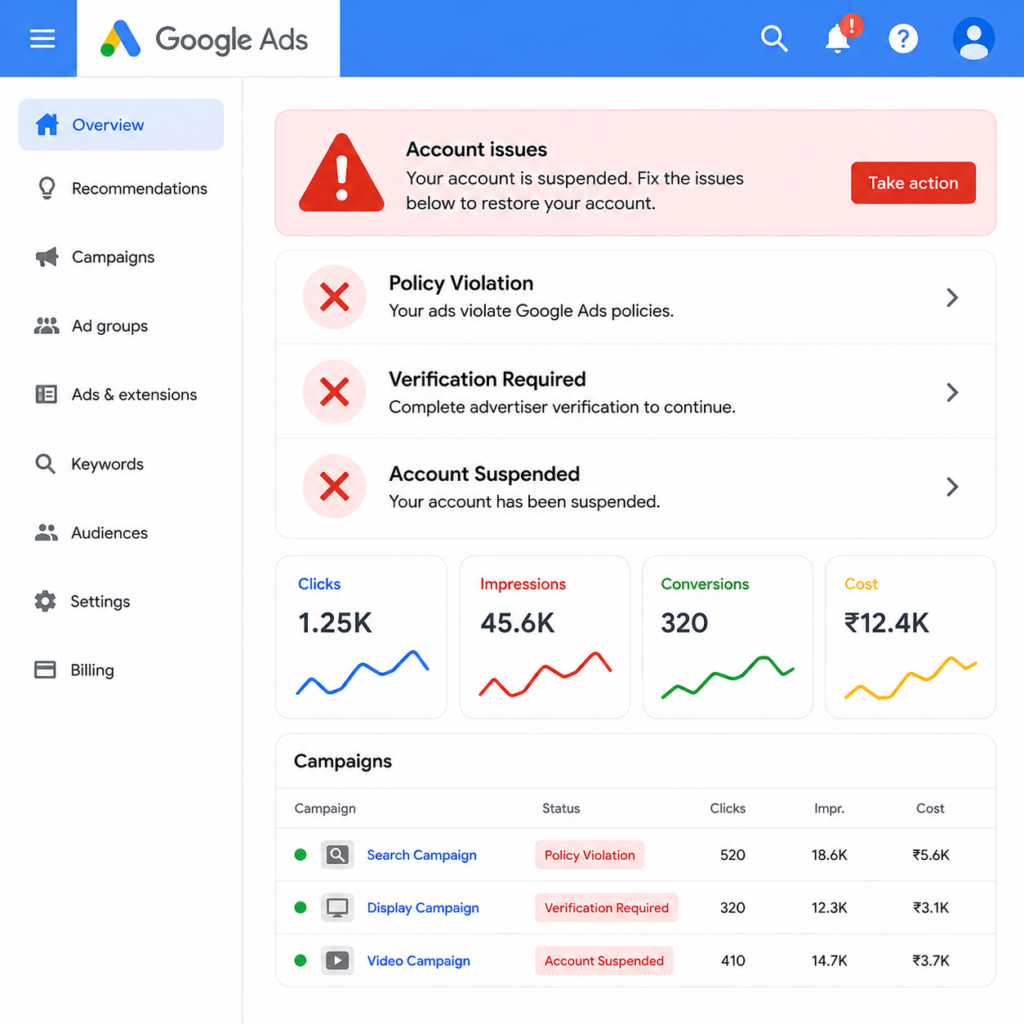
If you run ads on Google, you already know how frustrating this moment feels. You check your account. You see a red warning. It says policy violation or verification required. Sometimes, it goes one step further, and your account gets suspended.
This is one of the most common problems business owners face with Google Ads. The good news is that it is also one of the most fixable. In this blog, we will break down why this happens and show you how to fix it the right way.
google_ads_disapproved_500x500

Why Does Google Disapprove Your Ads?

Google Ads runs on strict policies. These policies exist to protect users from spam, scams, and misleading content. Every ad you submit gets reviewed against these rules. If even one element breaks a rule, your ad gets disapproved.
Here are the most common reasons this happens.

1. Policy Violation

This is the most frequent reason for disapproval. Your ad copy, landing page, or business model may not match Google’s advertising policies. Common triggers include misleading claims, restricted product categories, or missing disclaimers. Healthcare, finance, real estate, and e-commerce ads face extra scrutiny. Even a single word in your text can trigger this flag.

2. Verification Required

Google now asks many advertisers to complete an identity or business verification process. This applies to certain industries and account types. Until verification is complete, your ads will not run. Many advertisers miss this step because the notification gets buried in their dashboard.

3. Account Suspended

This is the most serious issue on the list. Account suspension usually follows repeated policy violations. It can also occur due to suspicious billing activity or system circumvention. A suspended account stops all campaigns immediately. Recovering from this requires a proper appeal process, not guesswork.

4. Landing Page Issues

Sometimes the problem isn’t your ad at all. Google also reviews your landing page experience. Slow loading speed, a missing privacy policy, or unclear business information can cause disapproval. Your landing page needs to match what your ad promises.

5. Destination Mismatch

Your ad text must align closely with your landing page content. If your text promises one thing and your page shows another, Google flags this instantly. This mismatch is easy to miss but easy to fix once you know what to look for.

How to Fix a Disapproved Google Ad

Fixing this issue is a process, not a one-click solution. Follow these steps in order.

Step 1: Read the Disapproval Reason Carefully. Google always tells you why your ad was disapproved. Open your account and check the specific policy mentioned. Do not skip this step or guess the reason.

Step 2: Review Google’s Advertising Policies. Visit the policy page related to your flagged issue. Compare your ad copy and landing page line by line against these guidelines. Small wording changes often resolve the violation.

Step 3: Edit Your Ad or Landing Page. Update the exact element causing the issue. This could be your text, description, image, or a missing page element, such as a refund policy. Avoid resubmitting the same ad without changes, since this can trigger repeated flags.

Step 4: Complete Verification Promptly. If verification is required, complete it as soon as possible. Keep your business documents, website details, and identity proof ready. Delays here directly delay ad approval.

Step 5: Request a Review Once you’ve made corrections, request a manual review inside Google Ads. This sends your ad back to a human reviewer instead of just the automated system.
Step 6: Appeal a Suspended Account Correctly. If your account is suspended, do not create a new account immediately. This often leads to further suspension across linked accounts. Instead, submit a formal appeal explaining the corrective steps you’ve taken.
Google Ads verification

When You Should Bring in Experts

Google Ads policies change frequently. What worked last month may not work today. For businesses that don’t have time to monitor every policy update, working with a professional team makes a real difference.
This is exactly where an experienced Google Ads agency in Jaipur, like The Brand Tales, helps. A skilled team understands the nuances of policy across industries. They know how to structure compliant ad copy without losing persuasive power. They also know how to handle appeals and verification processes efficiently, saving you weeks of back-and-forth with Google support.

Final Thoughts

A disapproved ad is not the end of your campaign. It’s a signal that something needs adjustment. Read the reason, fix the specific issue, and resubmit with confidence.
If policy violations, verification issues, or suspensions keep slowing down your campaigns, expert support may be the next step. The Brand Tales, a trusted advertising agency in Jaipur, helps businesses navigate Google Ads policies and run campaigns that stay approved and keep performing.

Leave a Reply

Your email address will not be published. Required fields are marked *