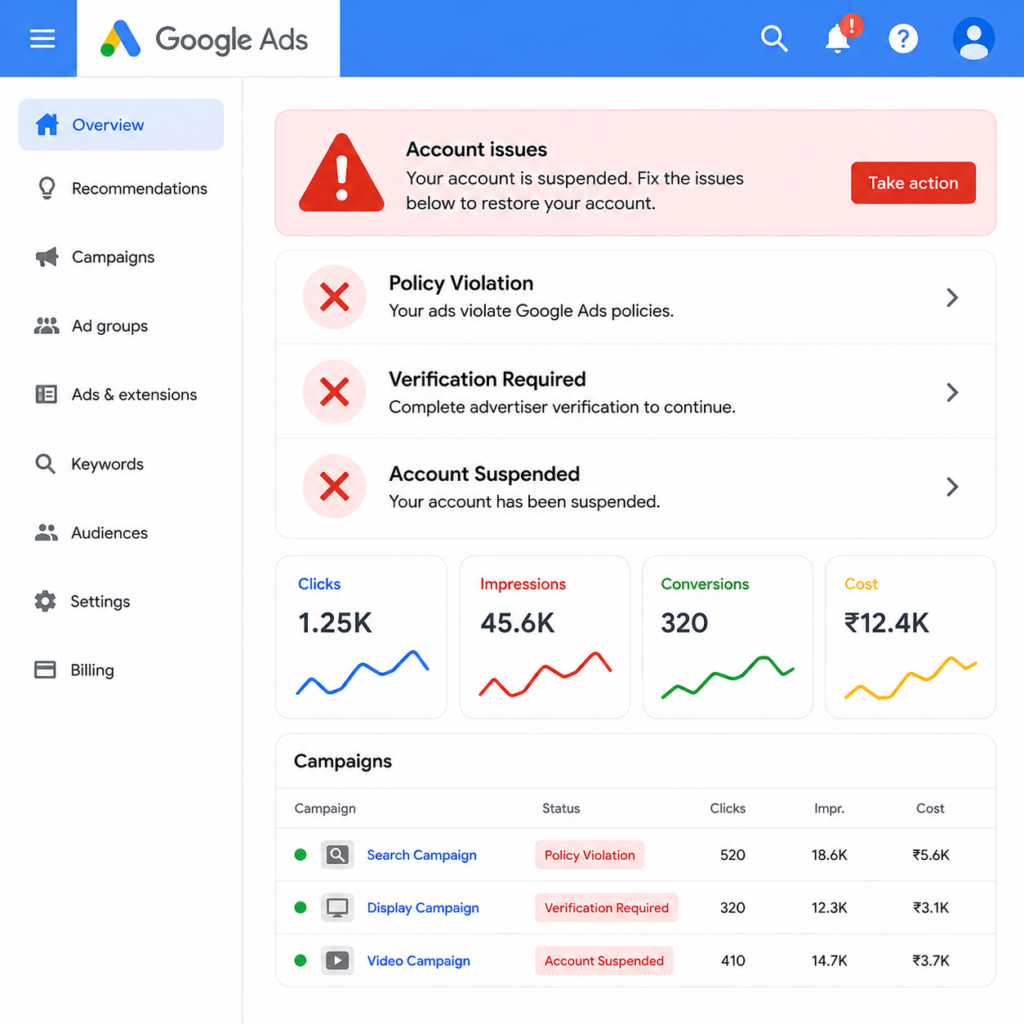

Google Ads Disapproved? Here’s Why It Happens and How to Fix It

Why Does Google Disapprove Your Ads?
1. Policy Violation
2. Verification Required
3. Account Suspended
4. Landing Page Issues
5. Destination Mismatch
How to Fix a Disapproved Google Ad
Step 1: Read the Disapproval Reason Carefully. Google always tells you why your ad was disapproved. Open your account and check the specific policy mentioned. Do not skip this step or guess the reason.
Step 2: Review Google’s Advertising Policies. Visit the policy page related to your flagged issue. Compare your ad copy and landing page line by line against these guidelines. Small wording changes often resolve the violation.
Step 3: Edit Your Ad or Landing Page. Update the exact element causing the issue. This could be your text, description, image, or a missing page element, such as a refund policy. Avoid resubmitting the same ad without changes, since this can trigger repeated flags.
Step 4: Complete Verification Promptly. If verification is required, complete it as soon as possible. Keep your business documents, website details, and identity proof ready. Delays here directly delay ad approval.
Step 5: Request a Review Once you’ve made corrections, request a manual review inside Google Ads. This sends your ad back to a human reviewer instead of just the automated system.